

Capabilities & tools
Choose supported tools for each employee, such as research or file access. Provider support and external setup determine what is available.
BUILD YOUR OWN / FOR DEVELOPERS & CUSTOM NEEDS
Define the job, give your employee useful instructions, and choose the tools they can use. Add skills, review memory, and organize work from your Garage.
Existing office creator: invite-only beta. The advanced guided Workshop experience is Coming Soon.
Help me prepare useful marketing content. Use my business information, ask when details are missing, and bring drafts back for review.
This preview explains the idea. Create and save real employees in your Garage after signing in with an invited beta account.
MORE THAN A NAME AND A PROMPT
Start simple. Add supported capabilities and context as your work becomes clearer.
Choose supported tools for each employee, such as research or file access. Provider support and external setup determine what is available.
Save a useful approach as a skill so your employee can return to an approved method for similar work.
Review suggested memories, keep useful business context, and dismiss details you do not want used later.
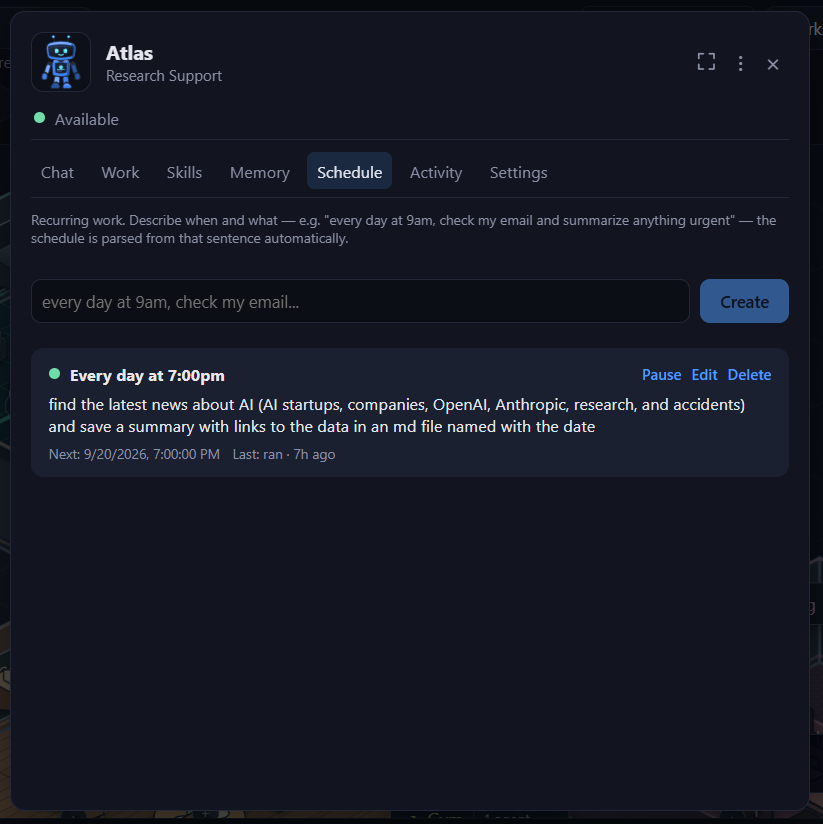
Schedule tasks and projects for a future time or a recurring cadence. Check the setup before relying on recurring work.
Configure leadership and delegation, give a project to a lead employee, and organize the teammates involved.
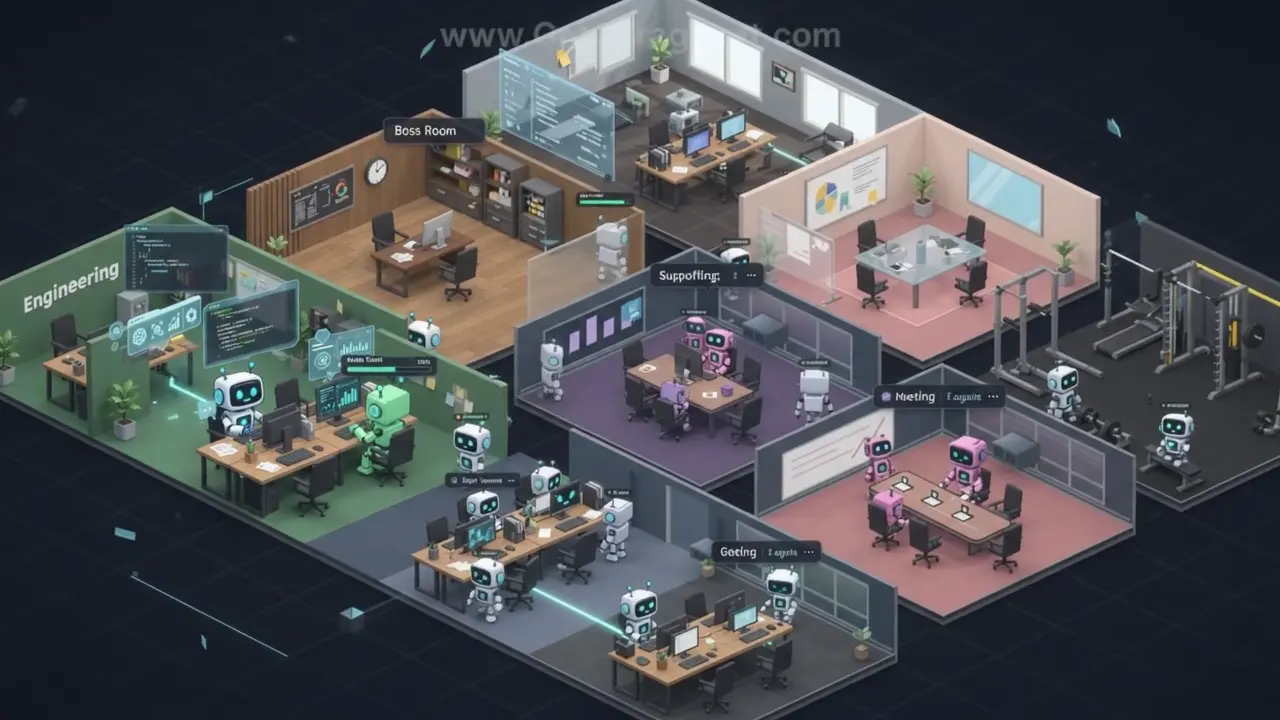
Give the employee a place in your visual office and choose from the providers and models available to your account.
INSIDE THE EXISTING GARAGE
These are existing public documentation images. The preview above is an illustration of the idea.
YOUR FIRST EMPLOYEE, STEP BY STEP
Write what the employee should do, what information to use, and when to ask you for help.
Choose supported tools and a model, add the instructions, and give the employee a room.
Start with a small brief. Review the result, improve the instructions, and save useful skills.
Sign in with your invited account, add a room if needed, then open + New → Hire an agent → Create Agent. For an existing team preset or compatible team file, use + New → Hire a team. The exact labels can vary with the office version.
Use the existing creator in your Garage, or explore roles and ready-made team ideas first.