Invite-only beta. Access is currently limited to invited testers. Request beta access. Already invited? Sign in.
A tour of every screen
Every agent's chat panel is really seven tabs, and there's a whole office wrapped around it. Here's what each part does.
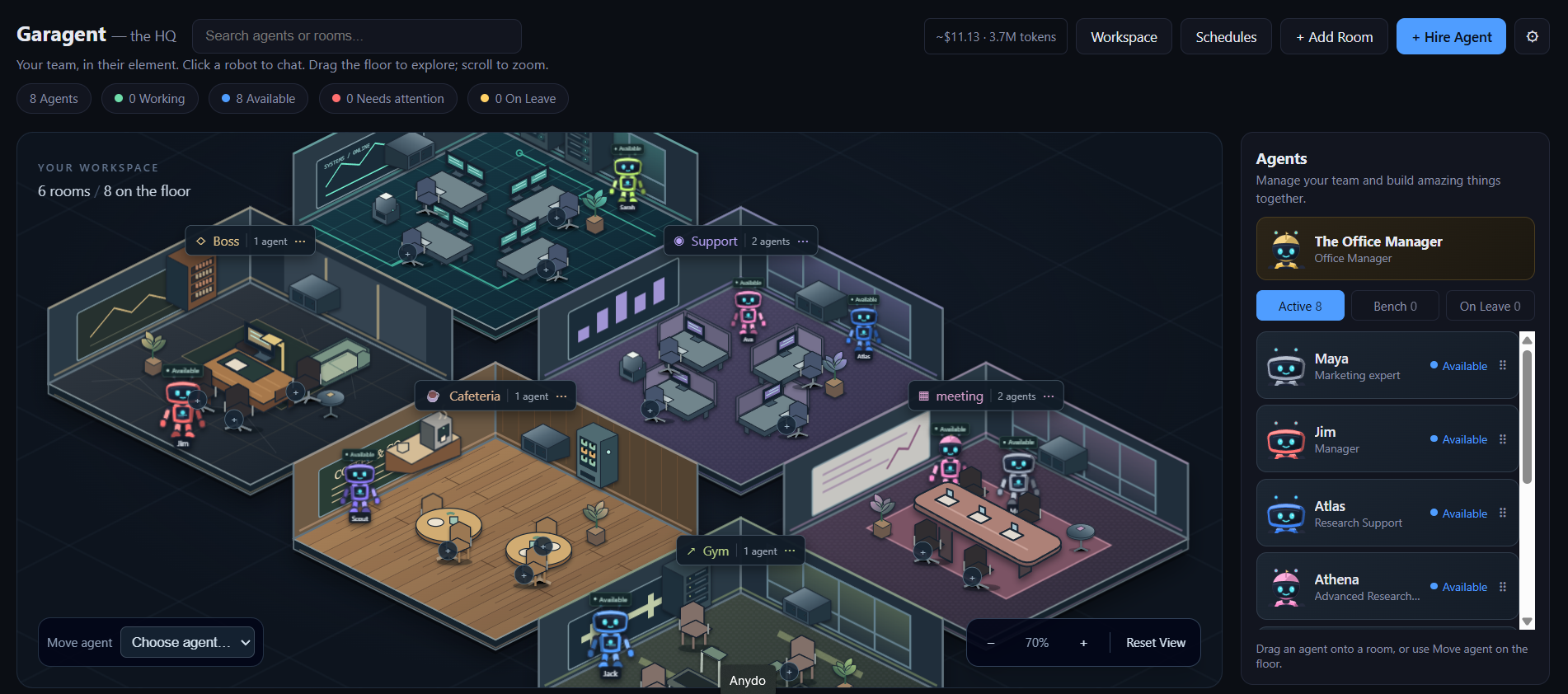
🏙️ The office
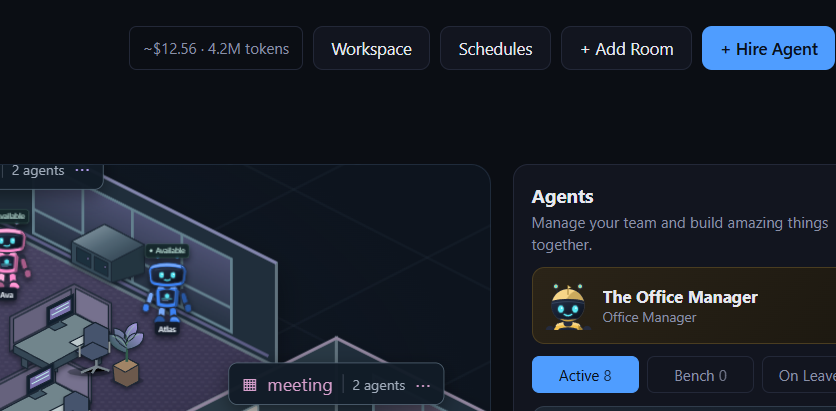
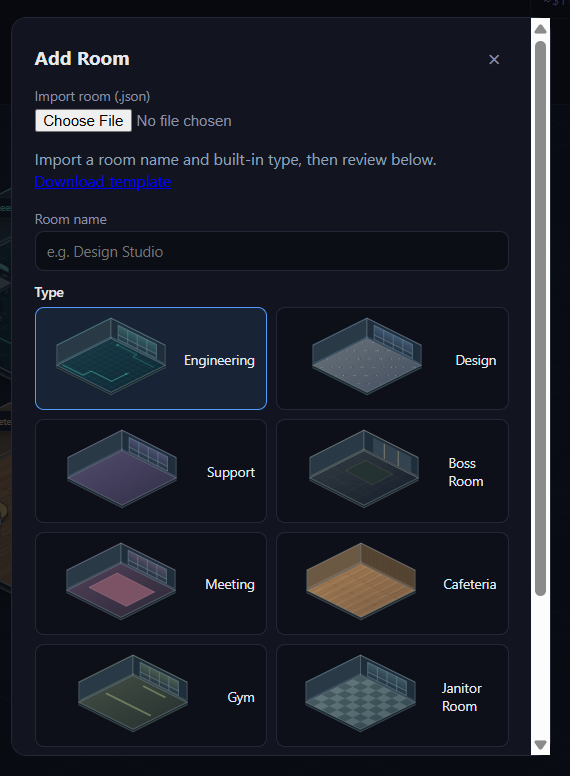
A zoomable 2.5D floor plan: themed rooms, tiled floors, furniture, and animated robots at individual desks. Drag to pan, scroll/pinch to zoom, and use the floating controls to reset your view. Add, rename, or delete rooms at runtime; busy rooms automatically grow extra desk bays. The sidebar lists every agent with a live status dot; the top bar shows the running usage/cost estimate.
💬 Chat
An ongoing conversation with one agent, persisted locally so reloading the page doesn't wipe it. Attach a file from the shared workspace if the agent has Read Files granted (see Capabilities), and replies render as formatted markdown.

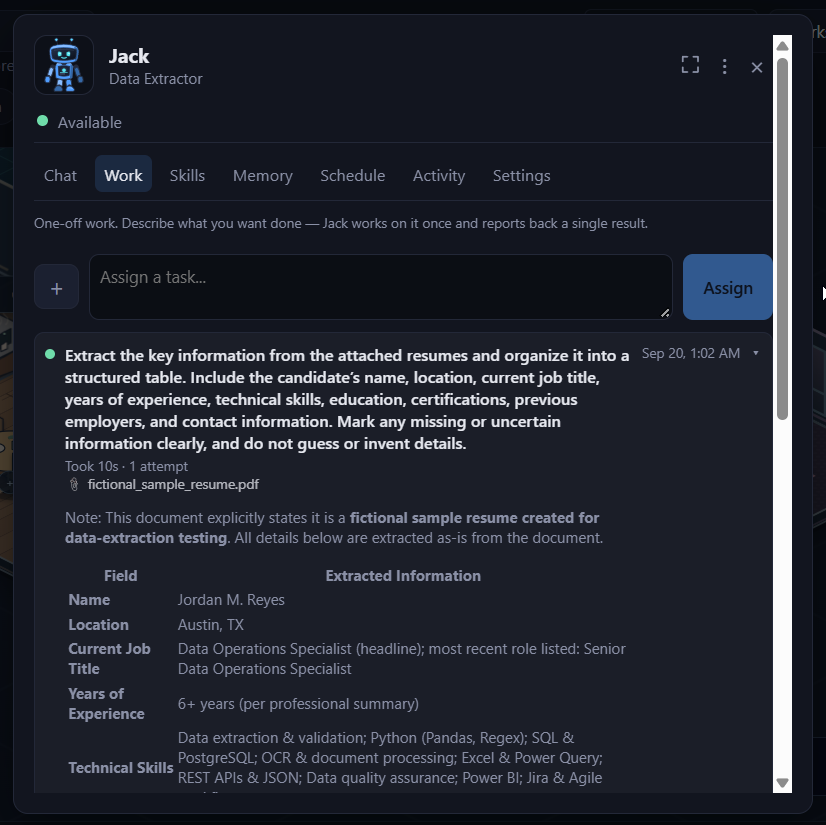
🗂️ Work — tasks & project delegation
The Work tab covers two kinds of jobs. A task is one-off: assign it, watch a spinner, get a single result back, with a desktop notification when it's ready even if you've switched tabs. A good result can be saved as a reusable skill right from its message.
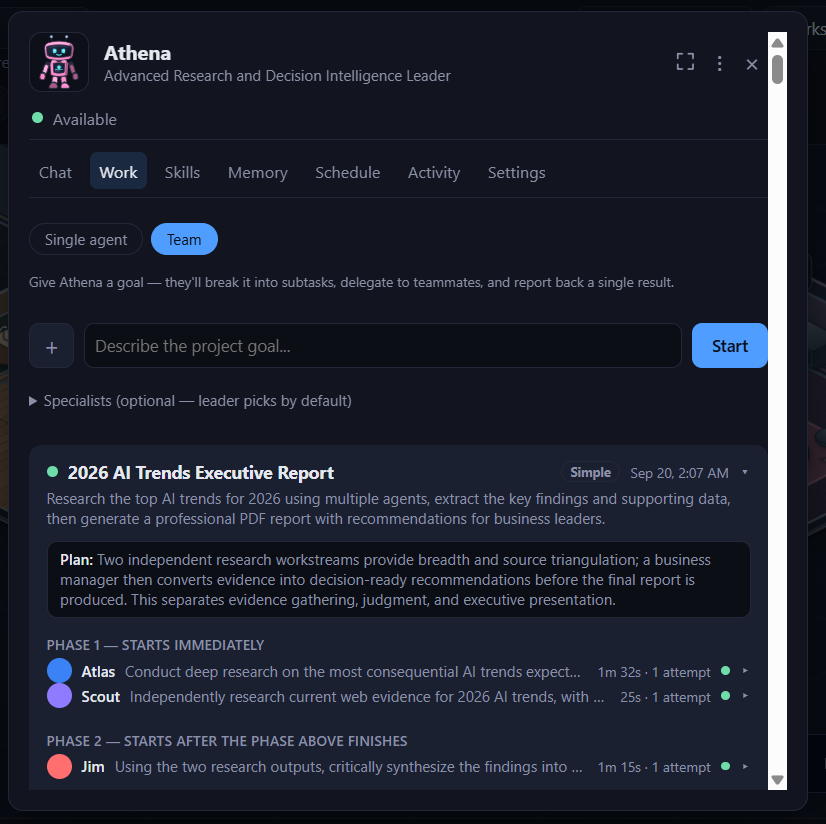
Any agent can also be flagged as a boss (check Can lead projects in its Settings) — give it a goal and it plans the work, hands pieces to the right teammates, and reports back one final synthesized result, without you assigning each subtask by hand. There are two delegation engines, picked per-agent: Simple (one planning call, every subtask dispatched in parallel, one synthesis call at the end) and Advanced (a real tool-calling loop that can react to what a teammate came back with before delegating the next piece — Anthropic agents only).
Every task and project is a real server-side job — it survives a page refresh or a server restart, not something that lives only in the browser tab.
🧩 Skills
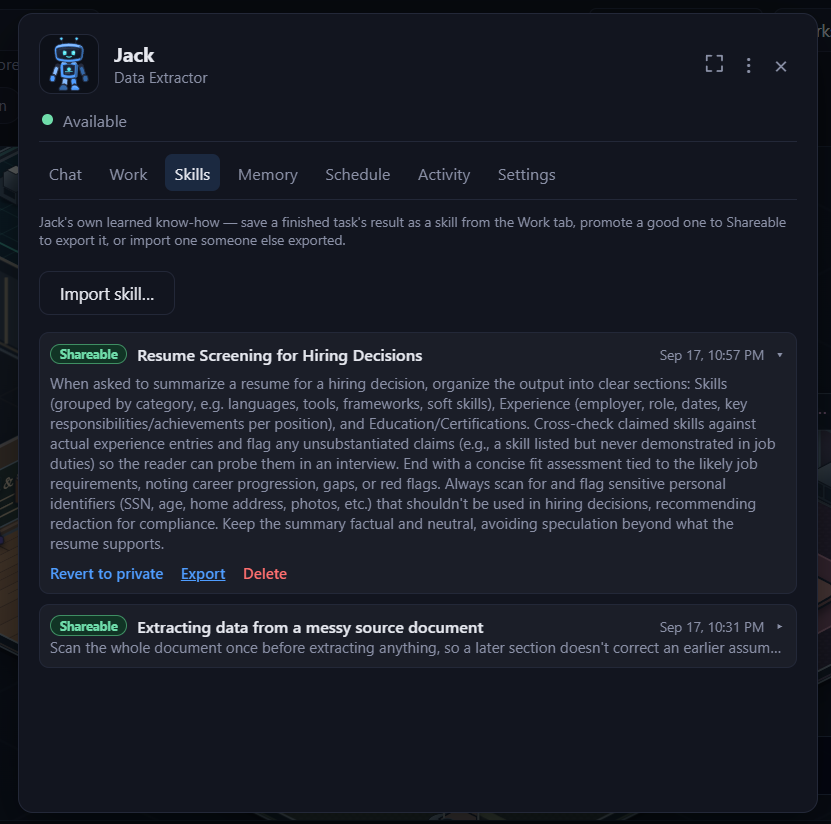
Save a task an agent did particularly well as a reusable skill — the next time something similar comes up, the agent can draw on it instead of starting from zero. A skill can stay private to the agent that learned it, or be marked shareable so other agents in the office can use it too. Import a skill file someone shared with you the same way you'd import an agent.
🧠 Memory
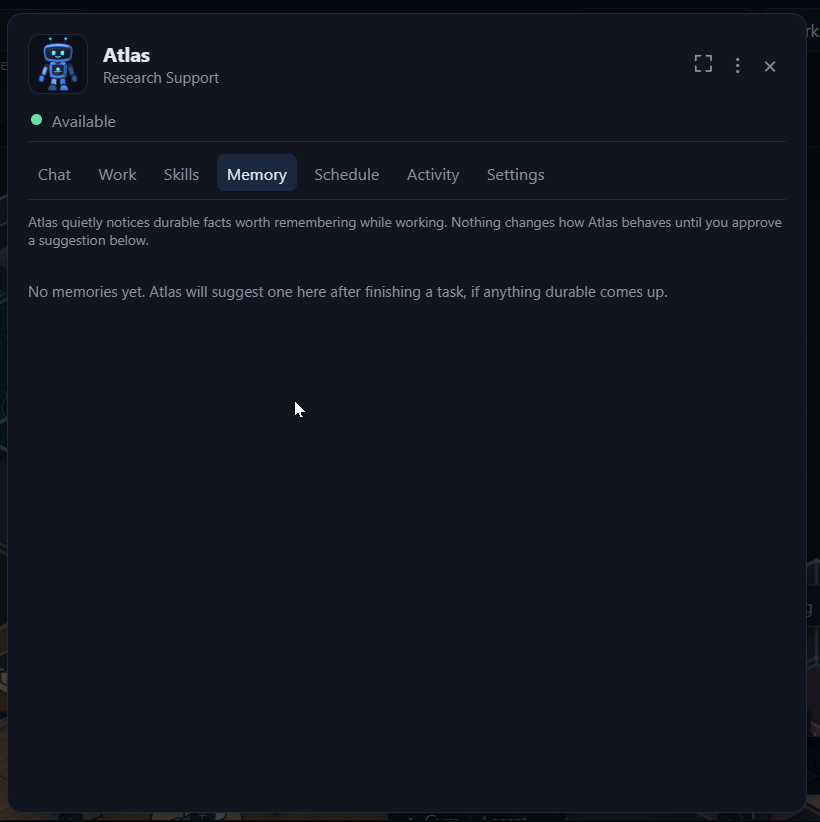
As an agent works, it can pick up durable facts worth remembering — from what you said while describing a task, or from a result it produced. Nothing is kept silently: every candidate memory shows up in the Memory tab for you to approve or dismiss, and only approved ones are actually used in future conversations.
⏰ Schedule
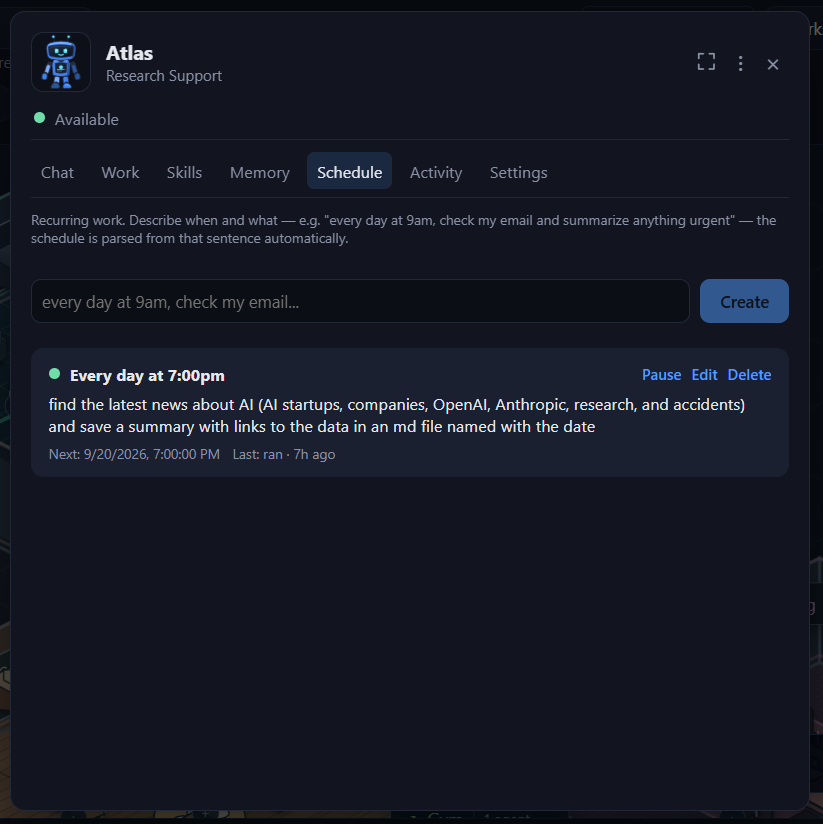
Set up a task or project to run automatically — once at a future time, or on a recurring cadence — instead of needing to be at the keyboard to kick it off. Scheduled runs show up in the Work tab like any other job once they fire.
📜 Activity
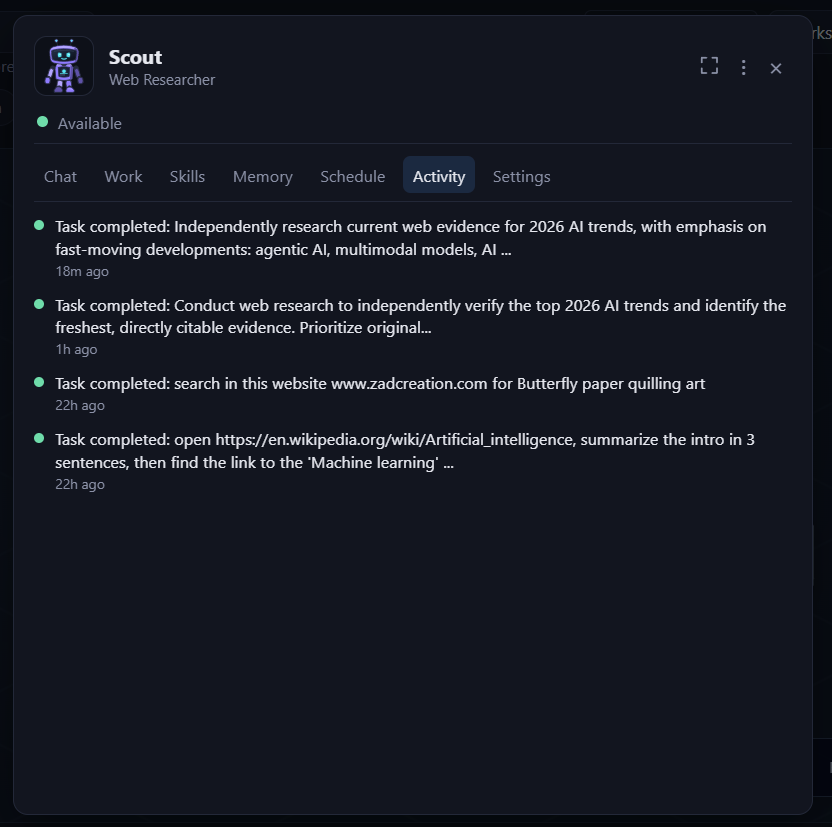
A combined timeline of everything that's happened with this agent — messages and tasks together — useful for scanning back through history without switching tabs.
⚙️ Agent Settings
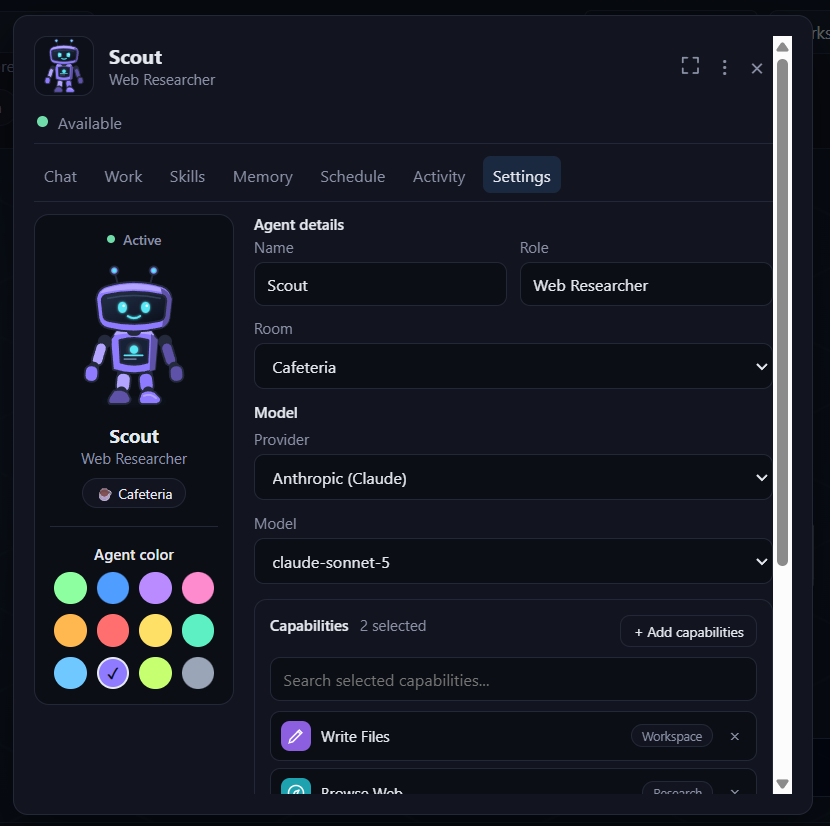
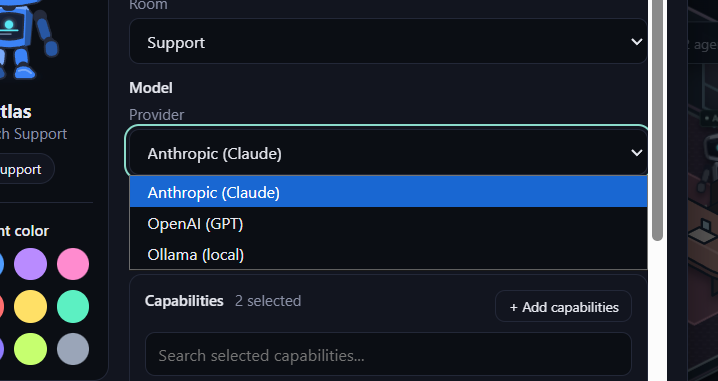
Edit an agent in place: name, role, avatar color, room, LLM provider/model, capabilities, and leadership/delegation mode — the same fields as hiring, but editable any time without recreating the agent.
💰 Usage & billing
Invited beta accounts use a credit balance. See beta access and credits for published allowance, expiration, and usage information. Every chat turn, task, and project step is a real model call, debited from that balance in real time — the top bar's usage badge shows the running total, broken out per agent. If your balance runs low, you'll see a clear notice before anything fails outright.
🔐 Your account
Sign in with Google — no separate password to create or remember. Your office, agents, conversations, and usage history are tied to your account and private to it. Account status (active, suspended, etc.) and credit adjustments are handled by Garagent support if you ever need a hand.
🛟 Notifications & support
The bell in the top bar is also where you'll hear from us directly — a heads-up about a new feature, a low-credit or out-of-credit warning before anything stops working, or a reply from the team. Hit the Support button any time to ask a question or report a problem: your message goes straight to the team along with a screenshot of what you were looking at, so there's no back-and-forth just to explain what went wrong. Replies show up right back in that same thread.
🔀 Multi-provider support
Every agent's provider and model can be set independently — mix Claude agents and OpenAI agents in the same office. The Hire/Settings model picker only offers providers available on your account, rather than letting you pick one and only finding out at call time.
🔄 Full agent lifecycle
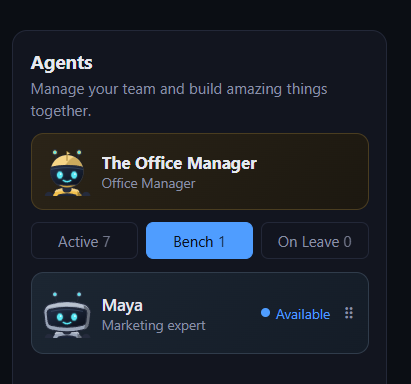
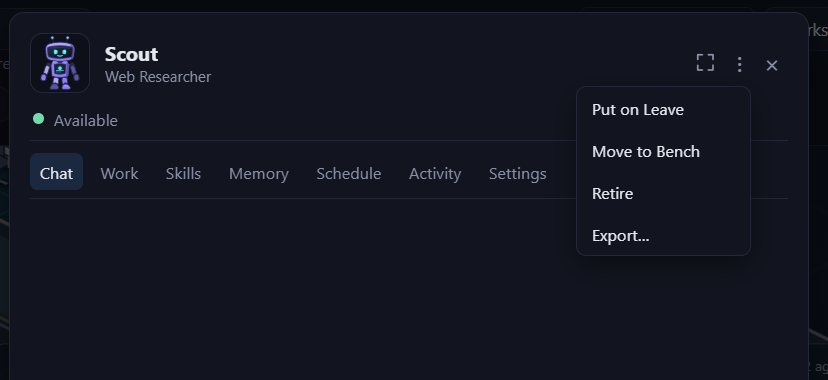
Hire, edit in place, put on leave, bench, retire, or permanently delete. The Bench is where an agent sits when it's not in a room but isn't retired either — every freshly-imported agent starts here. Export an agent to a portable .json file from its ··· menu and import it into another office — the beginning of a "share an agent with someone" mechanic.
🏢 Rooms
Room types are a fixed catalog with baked-in floor art (Engineering, Design, Executive, Meeting, Cafeteria, and more); room instances are fully dynamic — add as many as you want, rename or delete any time. Deleting an occupied room moves its agents elsewhere automatically rather than blocking.
Next
🧰 Capabilities
The real tools an individual agent can be granted, and exactly what each one can and can't do.
🚀 Quick Start
Haven't signed in yet? Start here.